

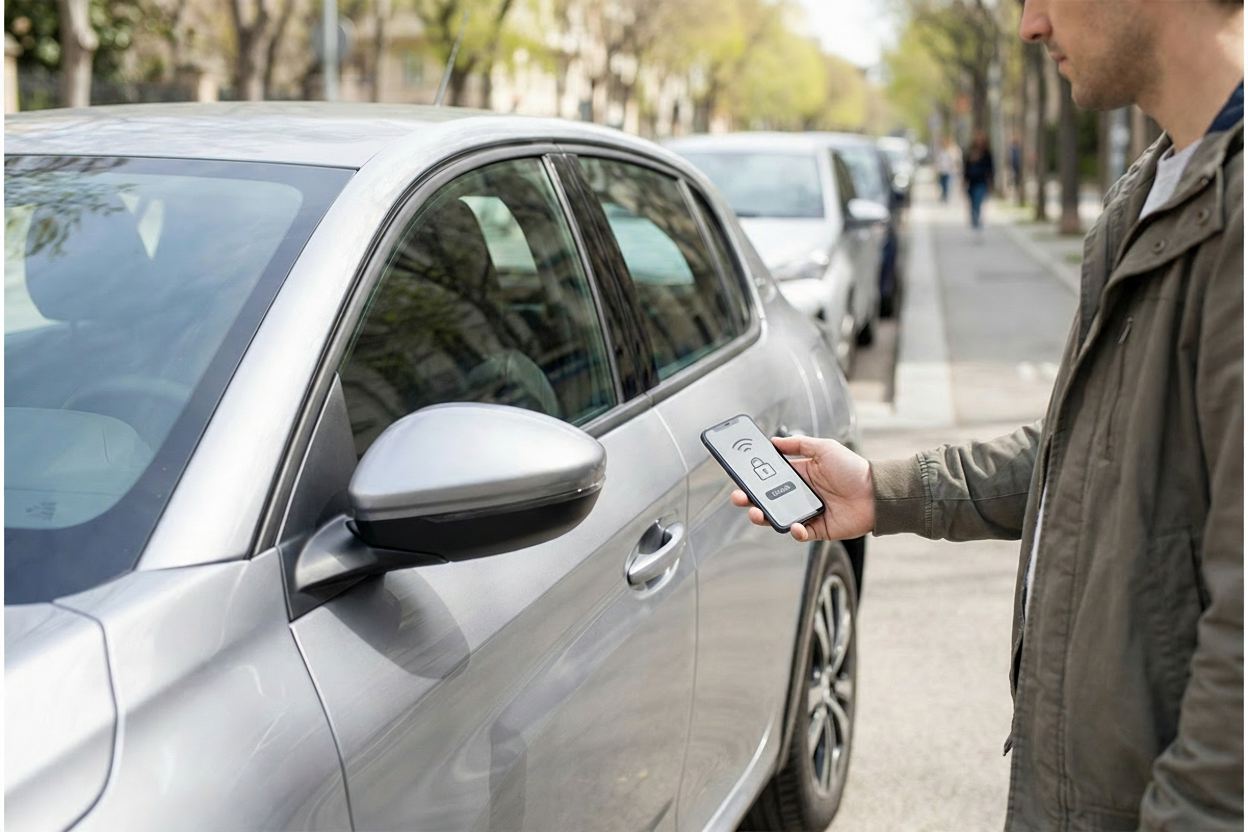
For a customer, the process of using a car sharing service seems like magic. But how does car sharing work from a business and technology standpoint? A customer finds a car on a map, walks up to it, and a single tap in an app makes the doors click open. This simple action is the result of a complex system working perfectly behind the scenes. For entrepreneurs entering the shared mobility market, understanding this system is the first step toward building a successful business.
This lesson looks under the hood of a car sharing service, following the typical user journey from registration to ending a rental. At each step, it explores the core technology and operational concepts that make the experience possible. By the end, the reader will have a foundational understanding of how hardware, software, and data-driven operations combine to create that seamless, tap-and-drive experience for the user.
Step 1: Joining the Service (The Digital Handshake)
Before a customer can book a car, they must become a trusted member of the service. This process is a digital handshake that happens entirely within the service's mobile app or on its website. The user is guided to create an account, take a clear photo of their driver’s license, and often a live selfie. The app securely sends this data to the central management platform. This platform uses specialized services to compare the selfie with the ID photo and verify the license’s authenticity. This crucial step, known as 'Know Your Customer' (KYC), is essential for meeting insurance requirements and managing liability. In the past, this could take hours, but modern systems can now often grant approval in just a few minutes.
This speed is a major advantage. A fast, simple verification process enables spontaneous adoption, so a user can sign up and book their first car almost immediately. Getting this step right is crucial. A weak process can expose the business to fraud, while a slow or confusing one will cause potential customers to abandon the sign-up. Once approved, the system creates a unique digital profile, securely links a payment method, and establishes the trusted connection needed to ensure only qualified drivers can access the fleet.
Step 2: Finding and Booking a Car (Pinpointing the Asset)
Once registered, the user opens the app to a map or a list of available cars. This view is powered by telematics. A telematics unit is an intelligent device in each vehicle that acts as a two-way communication hub, using a built-in cellular connection much like a mobile phone. It sends a constant stream of data to the central platform and also receives commands for remote control. Services typically use either specialized hardware, like the widely-used INVERS CloudBoxx. In rare cases, integrated systems from the vehicle manufacturer (OEMs) are also used to automate rentals.
The quality of the data this unit sends is critical for the user experience. In the app, the user sees the car's precise location as well as its current fuel level or battery’s State of Charge (SoC). This allows them to choose a vehicle with enough range for their intended trip. The accuracy of the GPS position is especially important. High-quality technology provides a very precise location, indicated by a low 'Horizontal Dilution of Precision' (HDOP). This ensures the car is exactly where the map says it is, preventing the common user frustration of searching for a vehicle.
When the user reserves their chosen car, the app sends a request to the backend platform. The platform instantly confirms the vehicle is still free and assigns it to the user. It then changes the car’s status to "reserved," making it invisible to other users to prevent double bookings. The customer receives a confirmation in their app that the car is being held for them, usually for a short period like 15 minutes, giving them time to walk to its location.
Step 3: Accessing the Car (The Remote Unlock)
When the user reaches their reserved vehicle, they use their smartphone as the key. Tapping "Unlock" in the app sends a command over a secure channel to the backend platform. The platform verifies that this specific user has an active reservation for this car and instantly forwards the unlock command to its telematics unit. The telematics unit then instructs the car’s core electronic systems to unlock the doors and deactivate the engine immobilizer, allowing the trip to begin. This successful unlock is the moment the rental officially starts. The telematics unit immediately records the initial mileage and fuel level, which the platform will use as the baseline for billing the trip.
However, cellular connectivity is not always guaranteed, especially in underground parking garages. For this reason, robust sharing systems include offline access methods. One popular solution is Bluetooth Low Energy (BLE). The system can send a temporary, secure digital key to the user's phone ahead of time. When near the car, the phone can then communicate directly with the telematics unit via Bluetooth, bypassing the need for a network connection. Some operators also offer a physical RFID membership card that users can tap on a reader on the windshield as a reliable backup. This combination of online and offline methods ensures users can always access their car.
Step 4: Driving the Car (The Monitored Journey)
Once the user is driving, the vehicle remains connected to the platform. Throughout the trip, the telematics unit continues to send real-time data, including its precise GPS location, speed, and distance traveled. While this constant stream of information can also be leveraged to identify reckless driving behavior, it is first and foremost necessary to enable core business functions. The primary purpose is to gather the necessary data for accurate, automated billing based on the trip's duration and distance. This live tracking also serves as a crucial security measure, ensuring the operator always knows the location of their vehicles for asset protection and recovery.
This is also where geofencing becomes a vital operational tool. A geofence is a virtual boundary that an operator defines for the service area. The management platform uses the vehicle's live GPS data to know if it travels outside this pre-defined zone. This allows for the enforcement of business rules, such as preventing users from taking cars into areas that are not serviced. If a user crosses the geofence, the system can automatically send an alert to both the driver and the operator's operations team. This ensures the vehicles stay within their designated operational territory, which is fundamental to managing the fleet effectively.
However, it is worth noting that some operators choose a different approach, often for reasons of data privacy or regulatory simplicity. In this model, live GPS tracking is disabled during the rental. The system calculates the final cost based only on the time and odometer readings captured at the start and end of the trip. While this approach can be simpler, it involves significant trade-offs. The operator loses valuable data on how and where the fleet is used, and cannot enforce geofencing rules in real time. For station-based services especially, this means the vehicle’s entire journey between pickup and drop-off remains unknown.
Step 5: Ending the Trip (Closing the Loop)
The rental process concludes just as it began: with a simple tap in the app. When a user has parked and is ready to finish, they select "End Trip." This action triggers a final, automated checklist by the backend platform. For free-floating services, the system uses geofencing to confirm the vehicle is parked within the approved business area. It also checks conditions like whether the ignition is off and the doors are properly closed. These checks are critical for security and fraud prevention. For example, confirming the doors are shut prevents a user from ending the rental financially while leaving a door ajar to re-enter the car and continue driving.
Once all conditions are met, the platform sends a final command to the car. The telematics unit locks the doors and re-engages the engine immobilizer, securing the vehicle. At the same time, the telematics unit sends its final data report: the precise end time, the final odometer reading, and the current fuel or charge level. With this information, the trip is officially closed in the system, and the billing process is initiated. The vehicle’s status immediately switches to "available," making it visible on the map for the next customer. This seamless transition is the key to maximizing the fleet's utilization.
Step 6: Keeping the Fleet Ready (Data-Driven Operations)
A great user experience extends beyond a single trip. Customers expect every car they find to be fueled or charged, clean, and in good working order. Achieving this level of quality across a fleet is not left to chance; it is managed through data-driven operations. The same telematics unit that powers the rental journey also serves as the eyes and ears for the maintenance team. It reports not just location, but also critical vehicle health data, such as the exact fuel level, the battery's state of charge, and even diagnostic trouble codes (DTCs) that trigger a "check engine" light.
This data flows directly into the fleet management platform, which can be configured to create automatic alerts and tasks. For example, if a car's fuel drops below 25% or a low tire pressure warning is detected, the system can instantly flag the vehicle for service. A task is then dispatched to the operator's "street team," who can proactively find the car to refuel, clean, or take it for maintenance. This prevents a customer from finding a car in a poor state. By turning fleet management from a reactive problem into a proactive, efficient process, operators can ensure higher vehicle availability and customer satisfaction.
Conclusion: A System of Seamless Integration
As we have seen, the "magic" of accessing a car with a single tap is the result of a sophisticated and tightly integrated system. It is not one piece of technology, but the seamless interaction between three core pillars. First is the hardware: the telematics unit that lives in the vehicle and acts as the bridge between the digital platform and the physical car. Second is the software: the intelligent backend platform that manages users, bookings, and data, along with the intuitive mobile app that serves as the customer's remote control. Finally, there are the data-driven operations that use the information from the hardware and software to keep the fleet healthy and ready for the next user.
A smooth user journey is a direct reflection of how well these three elements work together. For any entrepreneur looking to succeed in shared mobility, understanding and mastering this integration of technology and operations is the fundamental basis for building a scalable, profitable, and reliable service.